How to Claim Your Business Profile on ChatGPT in Europe in 2026
We claimed our business profile on ChatGPT from Belgium. Who can claim in Europe today, the steps, and what to prepare if your business can't claim yet.

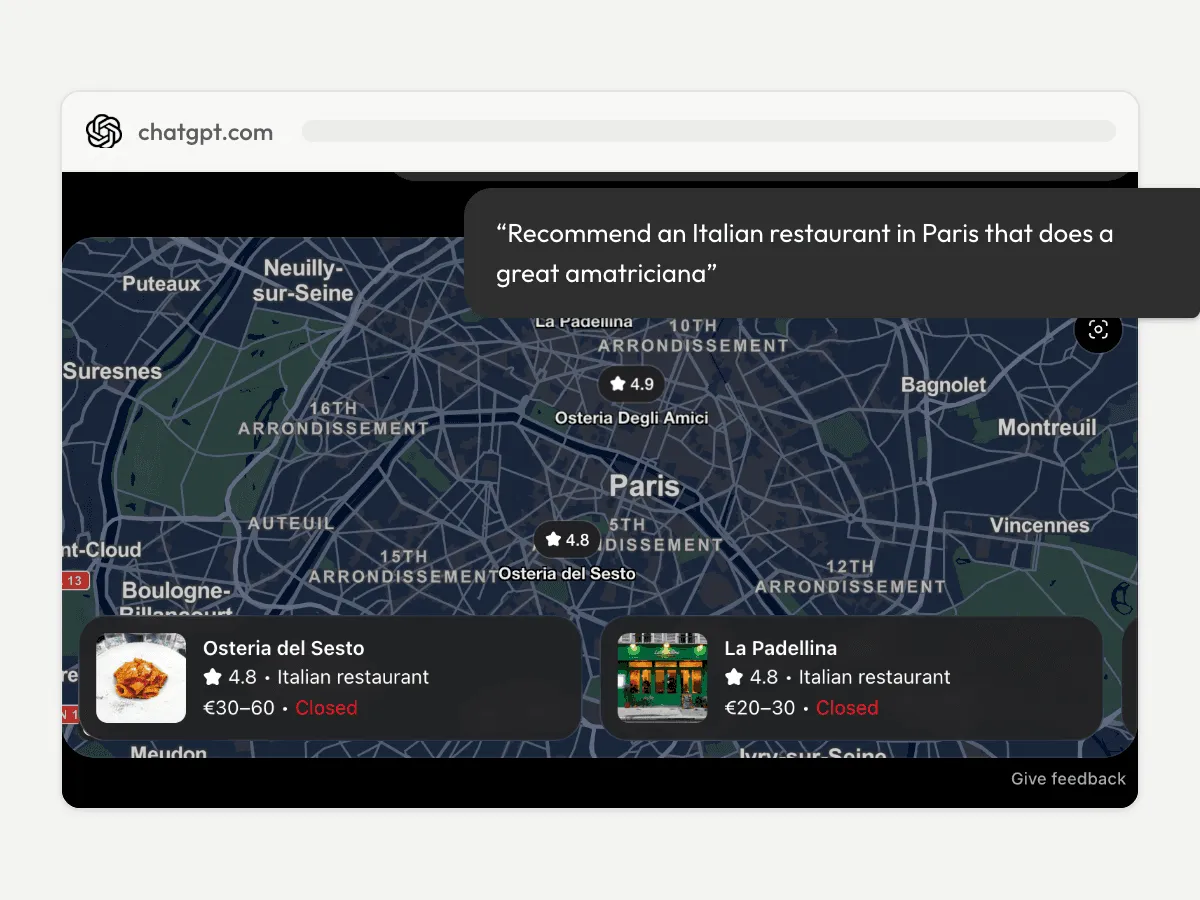
When ChatGPT names a business in an answer, people can click to see that business’s profile. Since 10 November 2026, an eligible business can claim that profile in OpenAI’s Business Hub, have it verified, update it and see how often ChatGPT mentions it. We claimed our own company’s profile from Belgium, verified it through our website’s domain, and OpenAI approved the claim.
Claiming works from Europe for an online business like ours. A local shop or a restaurant can, for now, claim only an existing US listing. OpenAI says it plans to open Business Hub to more markets and business categories, with no date. This article covers who can claim today, how, what a claimed profile gives you, and what to prepare if you can’t claim yet.
Online businesses yes, local shops and restaurants not yet
OpenAI’s announcement is broad.
“Any eligible business located where ChatGPT is available can claim their business in ChatGPT through Business Hub.”
OpenAI, “Introducing Businesses in ChatGPT”, 10 November 2026
ChatGPT is offered in Belgium, France, Italy, Spain and the Netherlands. Eligibility then depends on the type of business, and OpenAI’s help article on setting up your business draws the line that matters for a local business.
“If you run an eligible online business, you may see an option to add it. Local stores and restaurants can currently claim only an existing U.S. listing.”
OpenAI Help Center, “Setting up your business on ChatGPT”, read on 16 November 2026
| Your business, in Europe | Claim its profile | Business agent |
|---|---|---|
| Online business (online shop, online service) | Yes, where the verification is supported. We did | No, US only |
| Local shop or restaurant | Not yet: an existing US listing only | No, US only |
Businesses in ChatGPT is a beta, and OpenAI writes that it plans “to expand Businesses in ChatGPT and Business Agents to more markets and business categories”. It gives no date. Search for your business in Business Hub anyway: what the hub offers you is the answer for your case today.
If you can’t claim yet, what to do now
A claim doesn’t decide whether ChatGPT shows your business. OpenAI says claiming a profile doesn’t change its visibility, and that a profile may include information from other sources, which it doesn’t name. So the work that counts today is the same with or without a claim.
First, search for your business in Business Hub. Sign in to ChatGPT and open Business Hub from the sidebar: you’ll see whether a listing exists and whether the hub lets you claim it.
Then make your website say who you are. Your name, category, address or service area, hours and contact details, written on your own pages and the same as on your other listings. These are the details OpenAI asks a claimed business to keep current, and the website is the one source you write yourself.
Give ChatGPT something to describe, too. How ChatGPT picks the businesses it recommends is in our article on being invisible to ChatGPT, and what reviews add is in our guide to reviews and AI recommendations.
Last, prepare the claim itself (next section), so you are ready on the day Business Hub opens to your type of business.
What you need to claim your business on ChatGPT
A website comes first, since OpenAI says claiming is initially available to eligible businesses with one. Then one way to prove the business is yours. The help article lists four:
- a code sent to the business phone, by text or automated call;
- a code sent to the business email;
- a Shopify store;
- the website’s domain: a TXT record, a short line of text that ChatGPT shows you and that you add to the domain’s DNS settings.
The domain route is the one we used, and it depends on who holds your domain. If an agency or a former web designer holds it, they add the record, and the help article warns that DNS changes can take time to appear. Find out who it is before you start.
If your site runs on Stride and Stride holds the domain (you bought it in the app, or moved it to us), you add the TXT record in one click from Stride Domains, with Add record. A domain connected from another provider keeps its DNS there, and the record is added there.
After the claim, an identity check with Persona may ask for a government-issued ID, the business’s registration details and proof that you may represent it. Have them at hand, because insights and changes to your profile wait for it.
How to claim your business on ChatGPT, step by step
The steps are OpenAI’s, from its help article. We followed them for our own claim, with the domain route.
- Sign in to ChatGPT and open Business Hub from the sidebar.
- Search for your business by name and select the listing that matches it.
- Confirm the ChatGPT account you will manage it with.
- Choose a verification method and follow the prompts. For the domain, copy the TXT record exactly into your DNS settings, then return to ChatGPT to verify it.
- Wait for OpenAI’s decision by email. It reviews every claim, and may ask for more information.
- Complete the Persona identity check to publish changes and see insights.
The blue check on your profile comes with step 6, once the Persona check is approved, not when the claim is.
What a claimed profile gives a marketer
Once both checks are approved, you edit the profile: the website link, the description, the category, the logo and, for a shop, the delivery and return policies. OpenAI reviews each change before it appears.
You also see insights over the last 28 days. They count how often ChatGPT mentioned you, the clicks to your website and the themes of the answers you appeared in. For a local business, a mention counts when ChatGPT shows a result for that location, even if nobody opens the profile.
A claim doesn’t give you a higher place. OpenAI says claiming guarantees no higher placement and no sales. Each brand is claimed on its own, and claiming the main brand doesn’t claim its locations. A business agent, the chat with your business inside ChatGPT, is for now open to online shops and online services in the United States.
What to do this week
Search for your business in Business Hub. Find out who can add a record to your domain’s DNS. Put the Persona documents in one folder. Then read your website as a stranger would: if your name, address, hours and contact details aren’t all there, that’s the first fix, claim or no claim. If nobody on your side holds the domain, Stride Domains lets you buy one or move yours, and add its records yourself.
Frequently Asked Questions
Can a local business in Europe claim its ChatGPT business profile?
An online business can: we claimed ours from Belgium. A local shop or a restaurant cannot yet. OpenAI's help article, as it stood on 16 November 2026, says local stores and restaurants can claim only an existing US listing. Search for your business in Business Hub: what it offers you is the answer for your case.
Will claiming open to local shops and restaurants in Europe?
OpenAI says it plans to expand Businesses in ChatGPT to more markets and business categories over time. It gives no date. Prepare the website, the verification route and the identity documents now, so you are ready on the day it opens.
How do I get my business on ChatGPT if I can't claim it?
Your business can appear in ChatGPT's answers without a claim: claiming does not change a profile's visibility, and a profile may include information from other sources. Make sure your website states your name, category, address, hours and contact details, the same as on your other listings.
Do I need a website to claim my business on ChatGPT?
Yes, for now. OpenAI's page on Businesses in ChatGPT says claiming is initially available to eligible businesses with a website. The website also gives you the domain route to verify the claim.
Will claiming my business make ChatGPT recommend it more?
OpenAI says no. Claiming does not guarantee a higher place or more sales, and claiming a profile does not change its visibility in ChatGPT. It gives you the right to update your website link, description, category and logo, and 28 days of insights.
I have several locations. Does one claim cover them all?
No. OpenAI's help article says each brand is managed separately and that claiming the main brand does not claim its locations.