4 in 10 Restaurant Websites Miss the #1 Step to Get Their Dishes Found on Google and AI: Our 2026 Menu Study
In our study of 588 restaurant websites, 4 in 10 don't put their dishes on a page as text, and more than one in five shows search engines no dish at all. Put your dishes on a page and keep the PDF as an extra; a two-minute test tells you where your own menu stands.

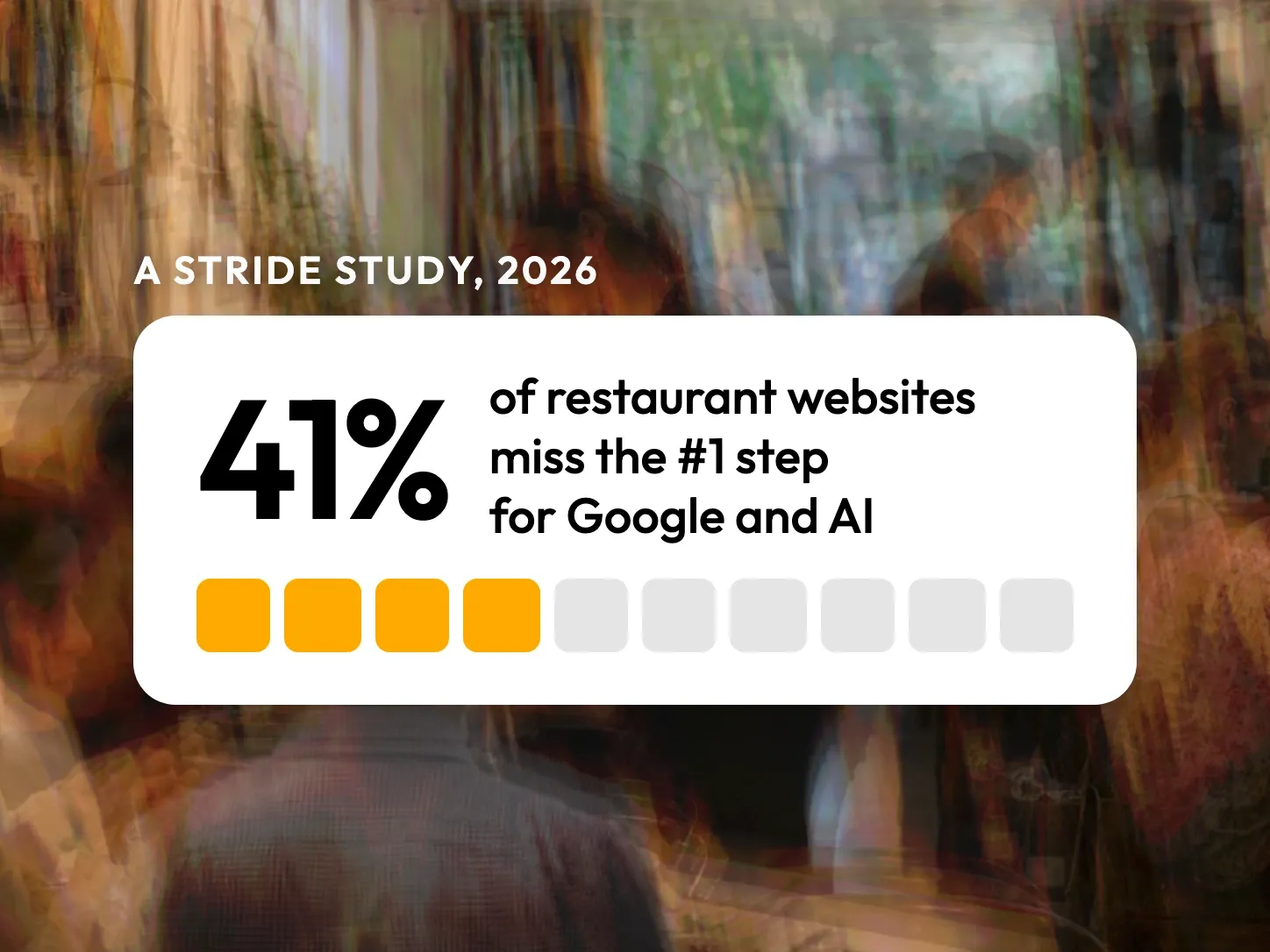
We studied 588 restaurant websites in Belgium, France, Italy and Spain. 4 in 10 don’t put their dishes on a page as text: they hide them in a PDF, an image or another company’s app, or show no menu at all. On 22%, a search engine can read no dish at all.
Put your dishes on a page as text, and keep the PDF as an extra. A PDF that holds text is readable by Google, but it is a heavy file on a phone. To check your own menu now, go straight to the two-minute test.
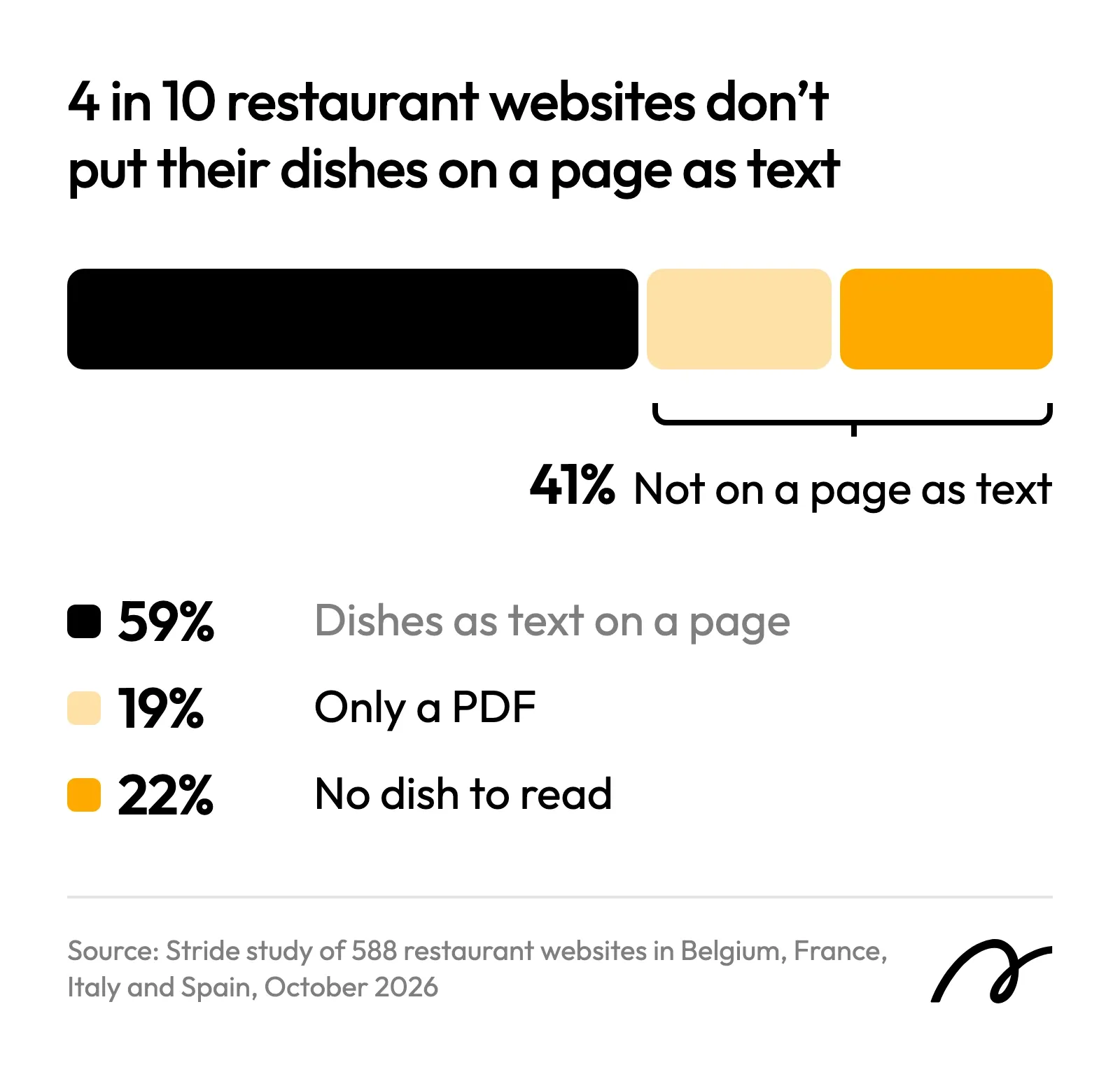
What the study found
The table counts each site once, by where its menu is. 9 menus offered only as a PDF whose file could not be checked are left out of it.
| Where the menu is | Sites | The diagnosis |
|---|---|---|
| Text on a page: you can select the dish names | 59% | The best format. 14% omit the prices |
| A PDF that holds text, and nothing else | 18% | A nuisance: Google reads it, a phone struggles |
| No menu found on the site | 8% | A problem: no dish anywhere |
| An image only: a photo or a page-turning viewer | 7% | A problem: no dish as text |
| Another company’s site only: a menu or delivery app | 5% | A problem: your site names no dish |
| A scanned PDF only: a picture of a page | 3% | A problem: no dish as text |
The countries differ: a menu only as a PDF goes from 12% of the sites in France to 30% in Italy.
Is a PDF menu bad for Google?
No, as long as it contains text. Google’s documentation puts PDF on its list of file types it can index:
“Google can index the content of most text-based files and certain encoded document formats.”
Google Search Central, “File types indexable by Google”
We opened every menu PDF in the study: 186 files, counting those offered beside a text menu. Of the 186, 82% hold text and 12% are scans, pictures of a printed page with no text in them.
The cost of a PDF falls on the guest. Many of these files are heavy for a phone, and a menu offered only as a PDF sits deeper in the site than a text menu.
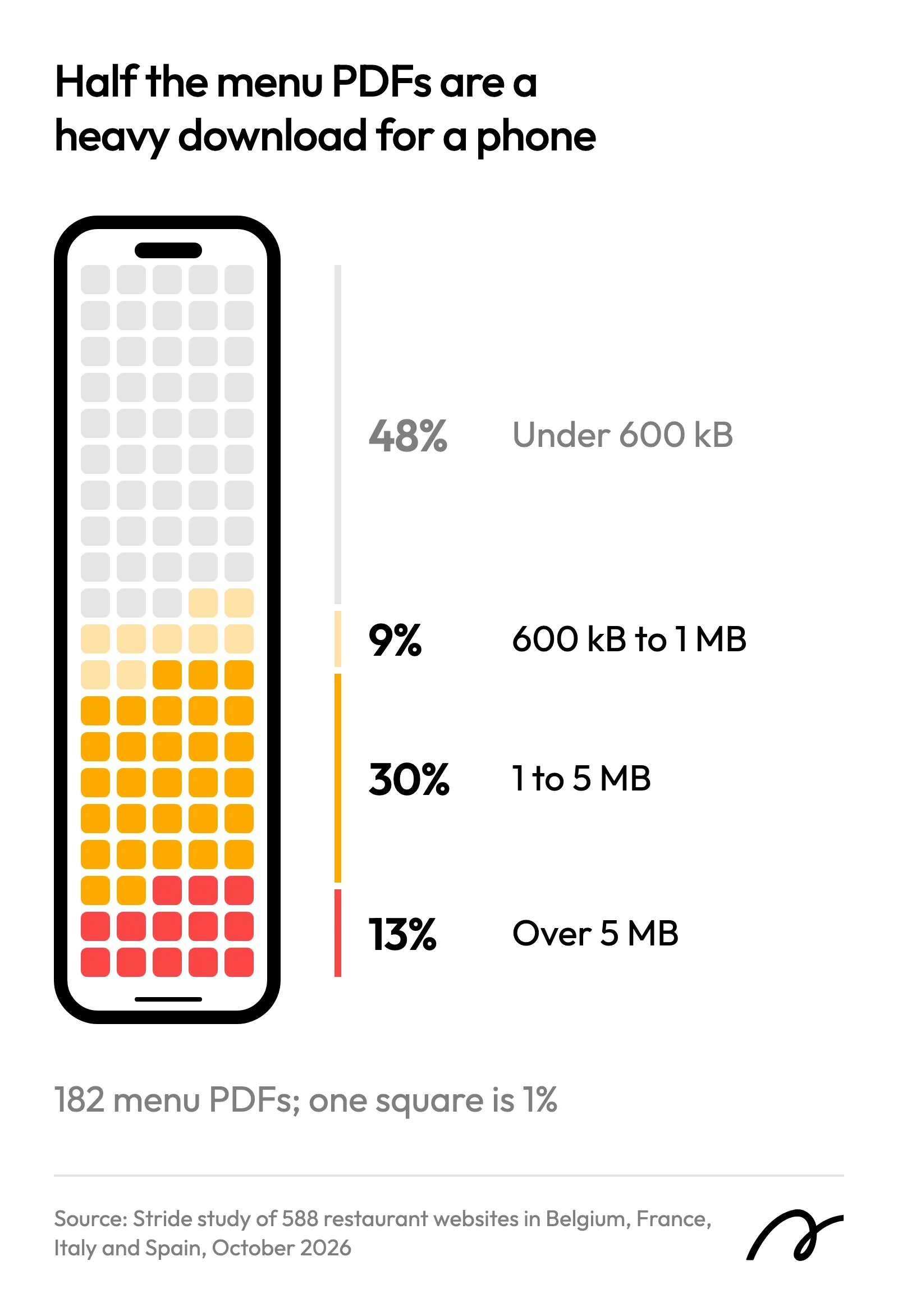
A file is also easy to forget when the menu changes. One restaurant in the study links an older menu from its English page than from its French page.
A photo or a scan is a different matter
For pictures, Google describes something else:
“Google uses alt text along with computer vision algorithms and the contents of the page to understand the subject matter of the image.”
Google Search Central, “Google image SEO best practices”
That sentence is about what a picture shows. It does not promise to read forty dishes and their prices from a photo of your blackboard.
7% of the restaurants publish their menu only as an image, and another 3% only as a scanned PDF. On those sites no dish exists as text anywhere.
Telling search engines what you serve: JSON-LD
JSON-LD is code in a web page that visitors never see: it lists each dish and its price for search engines. Google recommends it for this kind of description, called structured data, and has a field for a restaurant’s menu. Only 9% of the sites in the study have it for their menu, and on about half of those the booking tool or the website platform wrote it, not the restaurant.
No restaurant owner should have to write JSON-LD. On a Stride website you enter your dishes once, and the site publishes them on the page as text and writes the JSON-LD for search engines, with prices and allergens, with nothing to set up, on every plan. The dishes still have to be entered: a PDF you upload stays a PDF, on any platform.
The two-minute test on your own menu
You need your phone and your website, nothing else.
- Open your website on your phone and go to the menu. If it takes more than one tap from the home page, note it.
- Press and hold the name of a dish. If the word is selected, the menu is text. If the whole thing moves as one block, it is an image.
- If your phone downloaded a file, the menu is a PDF. It is fine for Google if step 2 worked inside it.
- Search Google for the exact name of a dish in quotation marks, then your restaurant’s name. If your site does not come up, Google has not read that dish from it.
If the test fails at step 2, start there: put the dishes on a page of your site as text, and keep the PDF beside it for guests who want to print it. For the rest of what a restaurant’s site should hold, see websites for restaurants.
How the study was done
In October 2026 we took from OpenStreetMap, the public map anyone can edit, every restaurant that lists a website in four big cities (Brussels, Milan, Paris and Madrid) and in 18 smaller towns of the same four countries. We removed the chains, the hotels and the links to social networks or delivery platforms, then took addresses at a fixed interval down each list. Nobody chose a site by hand.
Each site was sorted into one of the five forms of the table above. One site in five was then sorted a second time without sight of the first result. The two readings agreed on 97% of them.
| Step | Sites |
|---|---|
| Addresses opened | 920 |
| Not a restaurant’s own website, or would not open for us | −310 |
| On Stride’s own platform, left out so as not to grade our own work | −22 |
| Sites in the study | 588 |
The study has two limits. A restaurant with no website on OpenStreetMap is not in the sample. And some small groups passed the filter on chains.
Frequently Asked Questions
Can Google read a PDF menu?
Yes, when the PDF contains text. Google's documentation lists PDF among the file types whose content it can index. A PDF made from a scan or a photo is a picture of text. In our study, one in eight of the menus published only as a PDF was a scan with no text in it.
Should I delete the PDF of my menu?
No need. In our study, one in six of the websites that publish their dishes as text also offers a PDF, for guests who want to print it or send it to a group. Keep the PDF as an extra and put the dishes on the page.
Is a QR code menu enough?
A QR code is a way to open a page. What counts is what it opens. If it leads to a page of your own site with the dishes as text, that page serves the guests at the table and the people searching from home. If it leads to a PDF or to another company's site, the menu is still missing from your own pages.
How do I know if my menu is text or an image?
Open the menu on a phone, then press and hold the name of a dish. If the word is selected, it is text. If the whole menu moves or zooms as one block, it is an image.
Does ChatGPT read restaurant menus?
OpenAI's page about its crawlers, the programs that fetch web pages for ChatGPT, says they are used to surface websites in ChatGPT's search features. The page does not mention PDFs or images, so we do not state how ChatGPT handles them.
What is JSON-LD, and do I need it?
JSON-LD is a short block of code in a web page that visitors never see. It lists facts for search engines in a fixed form, such as each dish and its price, so they do not have to guess which words are dishes and which numbers are prices. You should not have to write it yourself: some booking tools and website platforms write it from the dishes you enter.