How to Set Holiday Hours on Google Business Profile for the End of 2026
Enter each public holiday as special hours on your Google Business Profile, even if you open as usual. Otherwise Google may warn customers that your hours might differ, and a customer who is unsure can go elsewhere. Here are Google's dates for the end of 2026, the steps, and when to change your regular hours instead.

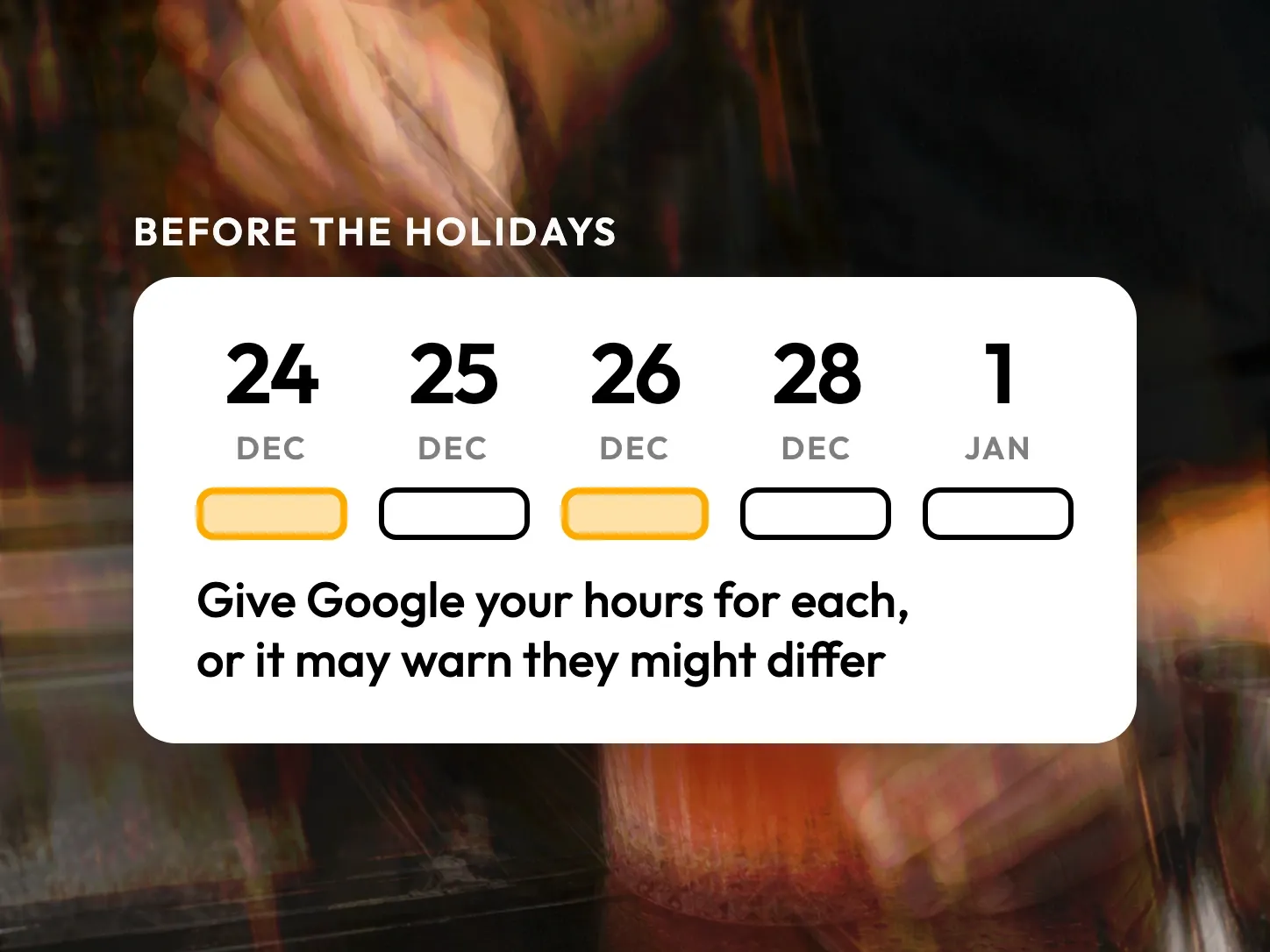
Before a public holiday, enter that day’s hours under Special hours in your Google Business Profile, even if you open as usual. On the dates Google lists for your country, it may otherwise warn customers that your hours might differ. For the end of 2026 that list includes Christmas Eve, and in the United States the day after Thanksgiving.
What a customer sees on a holiday
On a public holiday, a customer who looks you up on Google or Maps wants to know if you are open today. Unless you entered that date, your profile shows your regular hours for that weekday, or the warning that your hours might differ.
If you are closed and Google shows a normal Thursday, the customer finds a closed door. If you are open, the warning leaves them guessing, and a place nearby that confirmed its hours looks like the safer choice. On a day when many places close, a confirmed opening is what tells a customer they can come.
The dates on Google’s list for the end of 2026
Google’s help page About holidays on Google lists, country by country, the dates on which that warning may appear. For the end of 2026 it holds more dates than the official calendars: Christmas Eve in five of the seven countries we checked, and New Year’s Eve in four.
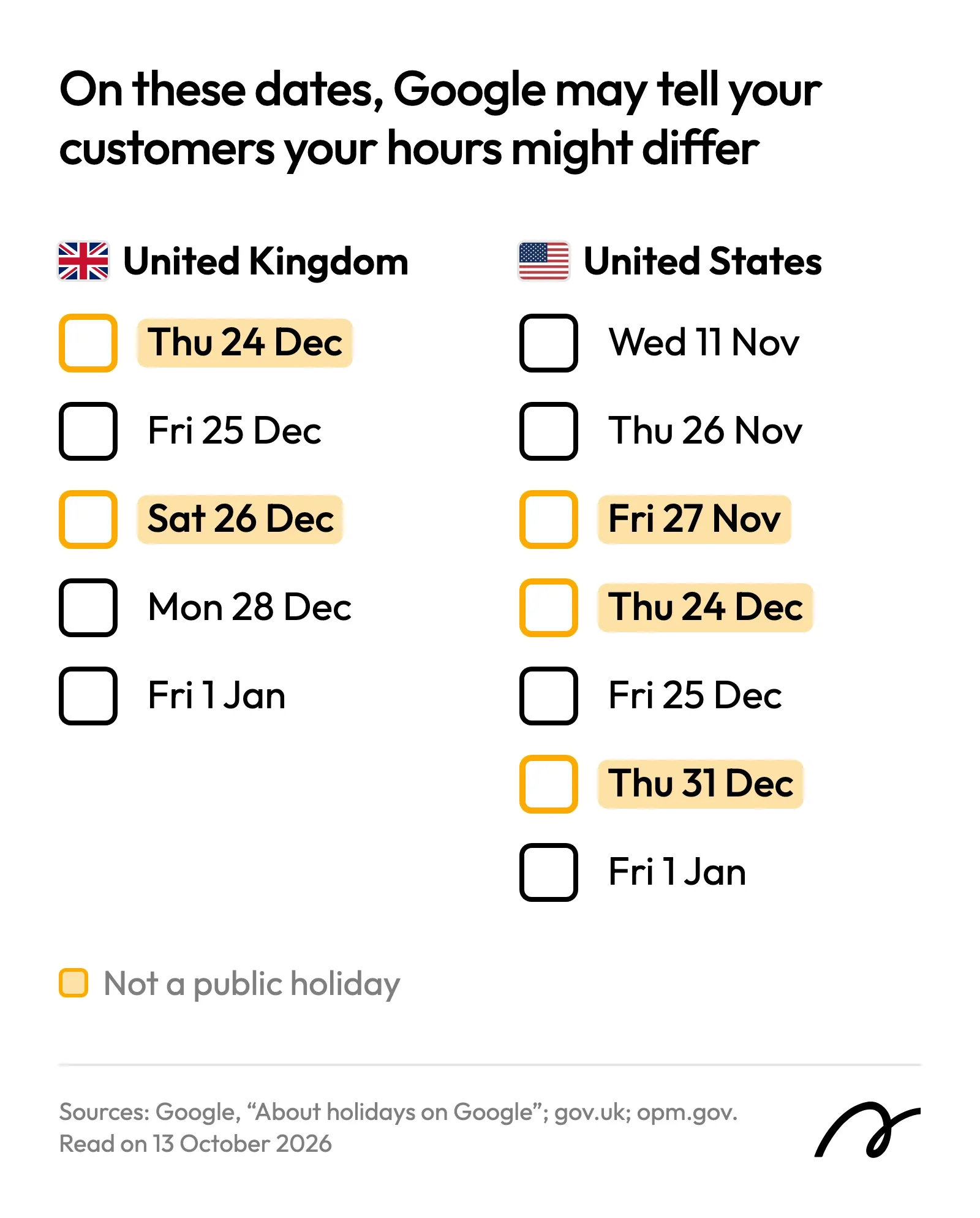
Enter each date on which your hours differ from a normal week, and confirm the others. Three dates need a second look:
| Date | Country | On Google’s list |
|---|---|---|
| Friday 27 November | United States | As Black Friday, though it is not a public holiday |
| Saturday 26 December | United Kingdom | As Boxing Day |
| Monday 28 December | United Kingdom | As the Boxing Day bank holiday, moved from the Saturday |
Special hours or regular hours?
Special hours are for a date, and regular hours are for a normal week. Google’s help page on editing your business hours says so:
“For days when you have unusual hours, such as holidays or special events, you can set Special hours.”
Google Business Profile Help, “Edit your business hours”
Special hours show only on the dates you enter, and your regular hours come back the day after. So a holiday, a private event or a closure of a few days goes in special hours. A change you will keep, such as winter hours or a new closing day every Monday, goes in your regular hours, under Business hours on the same Hours screen.
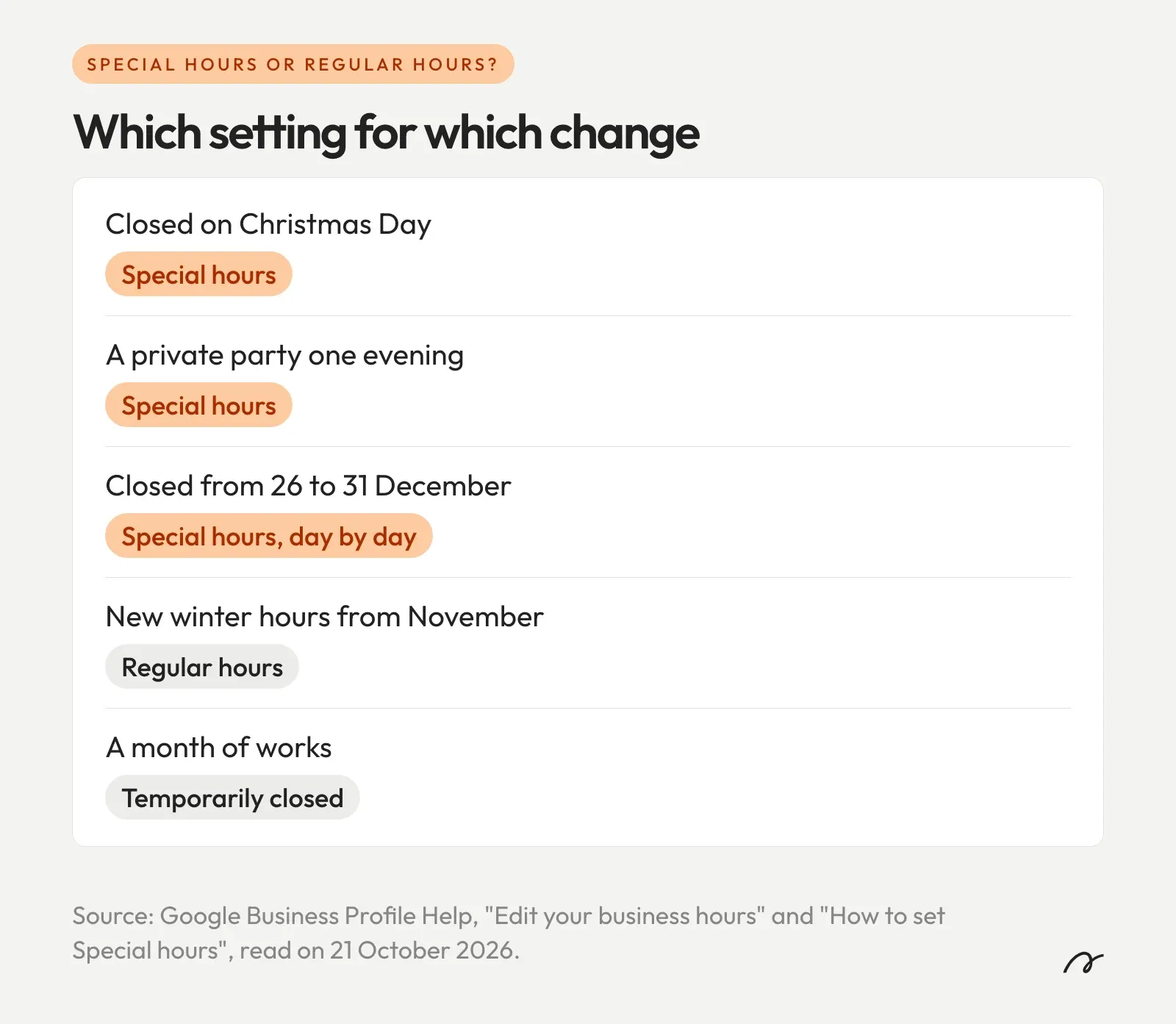
A closure of a week or more is a third case. Google’s pages suggest Temporarily closed from about seven days in a row, and Google says that for broad searches a temporarily closed business can rank after open ones. Keep that setting for a long closure outside your usual year, such as a month of works. Your yearly week off between Christmas and New Year goes in special hours, one day at a time.
How do you add holiday hours on Google?
Open your Business Profile, go to Hours and edit the special hours. Add each date, mark it closed or enter that day’s hours, and save. You reach the profile on Google Search, signed in to the Google Account linked to it, or in the Google Maps app.
The steps, with the labels of Google’s help page on special hours:
- Go to your Business Profile. In the Google Maps app, tap Business at the bottom right.
- Select Edit profile.
- Select Hours.
- Next to Special hours, select Edit.
- Select Add a date. If Google suggests the date, select Review instead.
- If you are closed, leave the Closed box ticked. If you are open, untick it and enter the hours.
- For a second period on the same day, such as dinner after lunch, select More, then Add hours.
- Select Save.
Google wants the date confirmed even when nothing changes:
“It’s a good idea to confirm your hours for official holidays, even if they’re the same as your regular hours.”
Google Business Profile Help, “How to set Special hours”
Special hours only show up on a profile whose business hours are set to “Open with main hours”.
Your website, your booking page and your other listings each keep their own copy of your hours. On a Stride website you enter the date once. Your site’s open-or-closed badge, the hours that search engines read in its structured data and your Google Business Profile all take it, and the entry expires after the date. A public-holiday calendar proposes the dates, on every plan. See how Profile Sync works.
Apple and Bing still need their own entry. Apple’s business listing has holiday hours, but its guide says holiday open hours must differ from your standard ones, so on Apple you enter only the days that change. Bing’s help page for editing a listing has regular hours only.
Open your profile and enter the dates that apply to you, starting with the nearest. In October 2026 Google’s list ran to January 2027, so look at it again before Easter. If you would like someone to go through the whole profile with you, the online presence analysis is free and takes 30 minutes.
Frequently Asked Questions
What does "hours might differ" mean on Google?
It is the warning Google describes on its help page "About holidays on Google". On the dates listed there for your country, a warning may appear on your Business Profile telling people that your hours might differ. Entering special hours for that date tells customers what your hours are that day.
Do I need to set holiday hours if my hours stay the same?
Google advises it. Its help page says it is a good idea to confirm your hours for official holidays even if they are the same as your regular hours, so that customers know they are accurate.
Do special hours change my regular hours?
No. Special hours apply to the dates you enter and to nothing else. Google's help page says they appear to customers only for the designated days, and your regular hours stay as they are.
Can I enter two opening periods on a holiday, for lunch and dinner?
Yes. In the special hours of that date, select More, then Add hours, and enter the second period. A restaurant open from 12:00 to 15:00 and from 19:00 to 22:30 enters two sets of hours for the same date.
Is Christmas Eve on Google's list of holidays?
For the United Kingdom and the United States, yes. Thursday 24 December 2026 is on Google's list for both countries, although it is neither a bank holiday nor a federal holiday. Google's list for the United States also has Thursday 31 December 2026.