How to Ask for Google Reviews in 2026 Without Breaking the Rules
Yes, ask every customer. Honest reviews help people choose you, and asking the right way keeps your profile safe and your business within the law. The two rules, your country's law in one card, and your review link in four steps.

Yes, you can ask every customer for a Google review, and it is worth doing, because Google says honest reviews help potential customers decide. Two rules keep it safe. Offer nothing in exchange, and ask everyone, not only the customers you think were happy. In Spain, and in Italy for restaurants and tourism, also ask within thirty days of the visit.
Can I ask customers for Google reviews?
Yes. Google’s policy on fake engagement allows a business to ask for or encourage reviews that reflect a genuine experience. The condition is to offer nothing for them and not to try to influence the rating or what the review says.
| ✓ You may | ✗ You may not |
|---|---|
| Ask any customer, on the receipt or by email | Offer a discount, a free item or anything else |
| Give the link, or display the QR code | Ask only the customers you expect to be happy |
| Remind them after the visit | Press them to write it on the spot, or dictate it |
| Reply to every review, good or bad | Review yourself, or have staff or family do it |
A line such as “if you were happy with us, leave us a review” asks the happy customers only, so it belongs in the right-hand column. On rewards, Google leaves no room:
“Offering incentives, like free or discounted goods or services, in exchange for customers to post reviews, change reviews, or remove negative reviews is considered fake & misleading content and is strictly prohibited.”
Google Business Profile Help, “Tips to get more reviews”
What a fake review can cost the profile
Google removes fake reviews and can restrict the profile for a set period. It may stop new reviews, unpublish the existing ones, or show customers a warning that fake reviews were removed (Google’s page on restrictions). It emails the owner before applying a restriction, and the business can appeal.
Where is my Google review link?
In your Business Profile, next to your reviews. Google gives you a link to copy and a QR code to print, and the QR code can only be made on a computer.
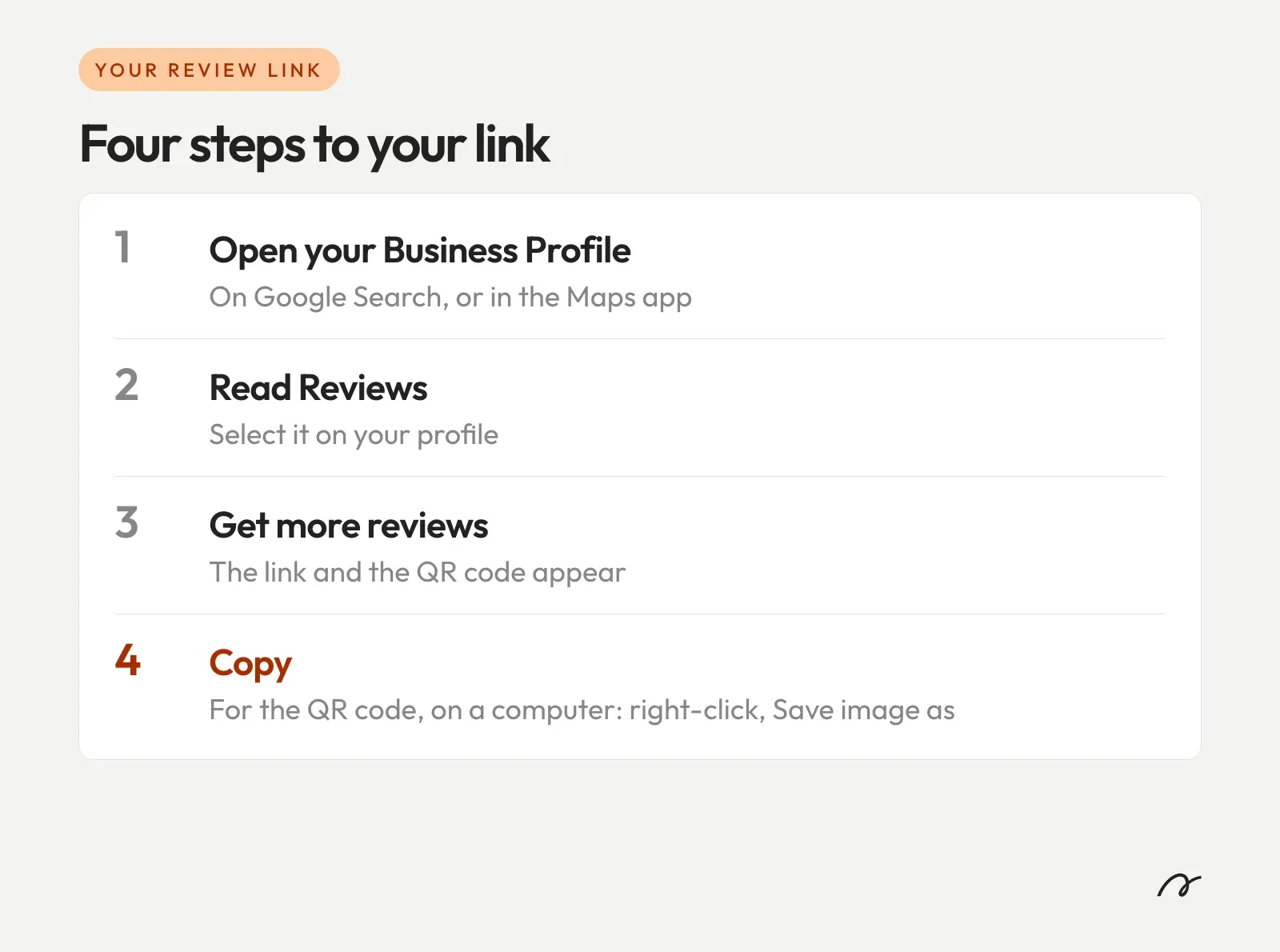
Google suggests putting it on your receipts, in your thank-you emails, at the end of a chat and, printed, in your shop. The link is an ordinary web address, so it also works in a text or a WhatsApp message.
What to say, and when
Ask everyone in the same words, and leave stars out of it. An example that stays inside the rules is “We read every review. If you have two minutes, here is the link.” The unhappy customer is worth asking too, and Google explains why:
“Honest and balanced reviews can help potential customers decide. A mix of positive and negative feedback often feels more trustworthy.”
Google Business Profile Help, “Tips to get more reviews”
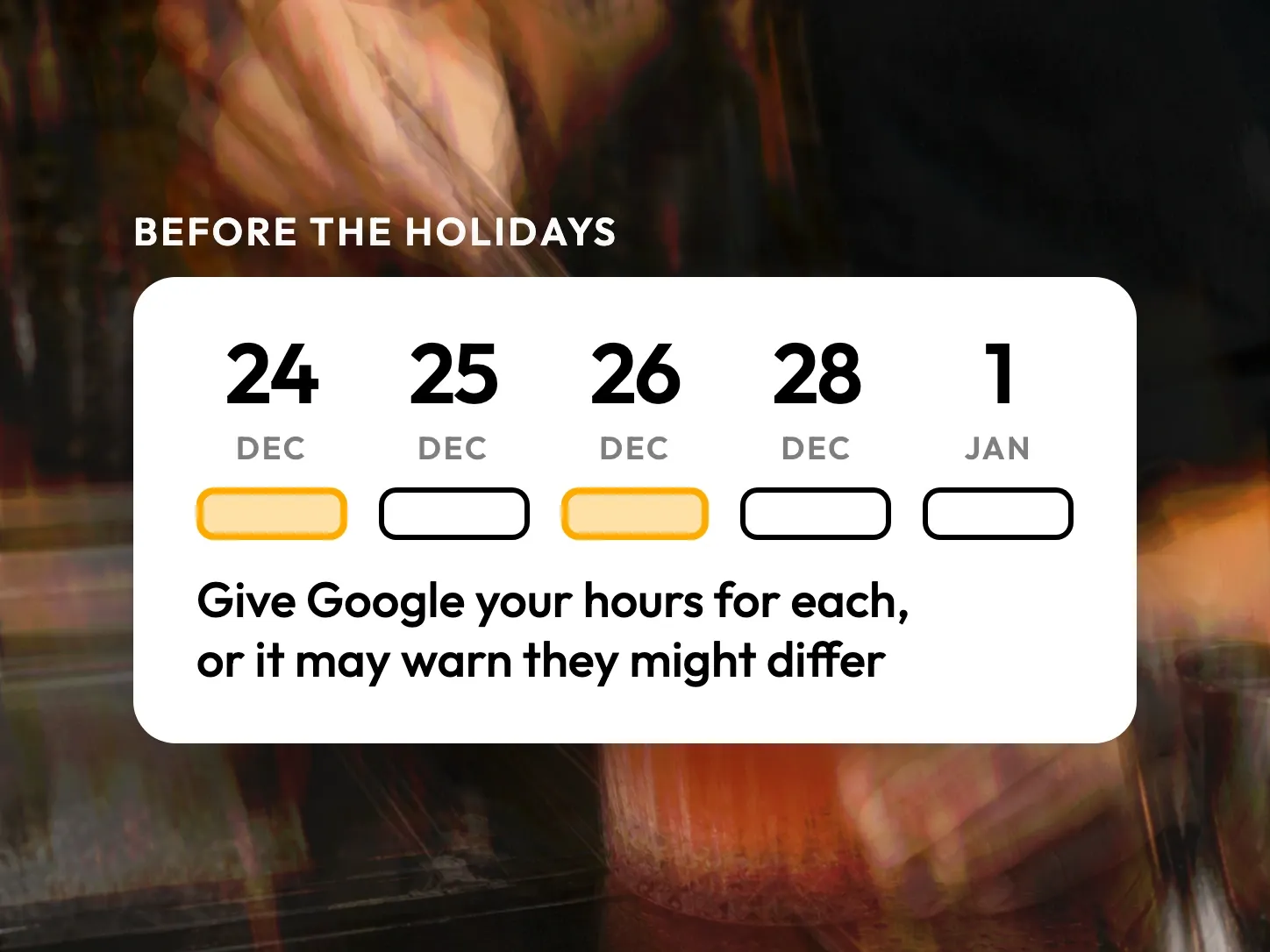
Google gives no advice on the best moment. The law does in two countries, so send the link while the visit is fresh.
What the law adds, country by country
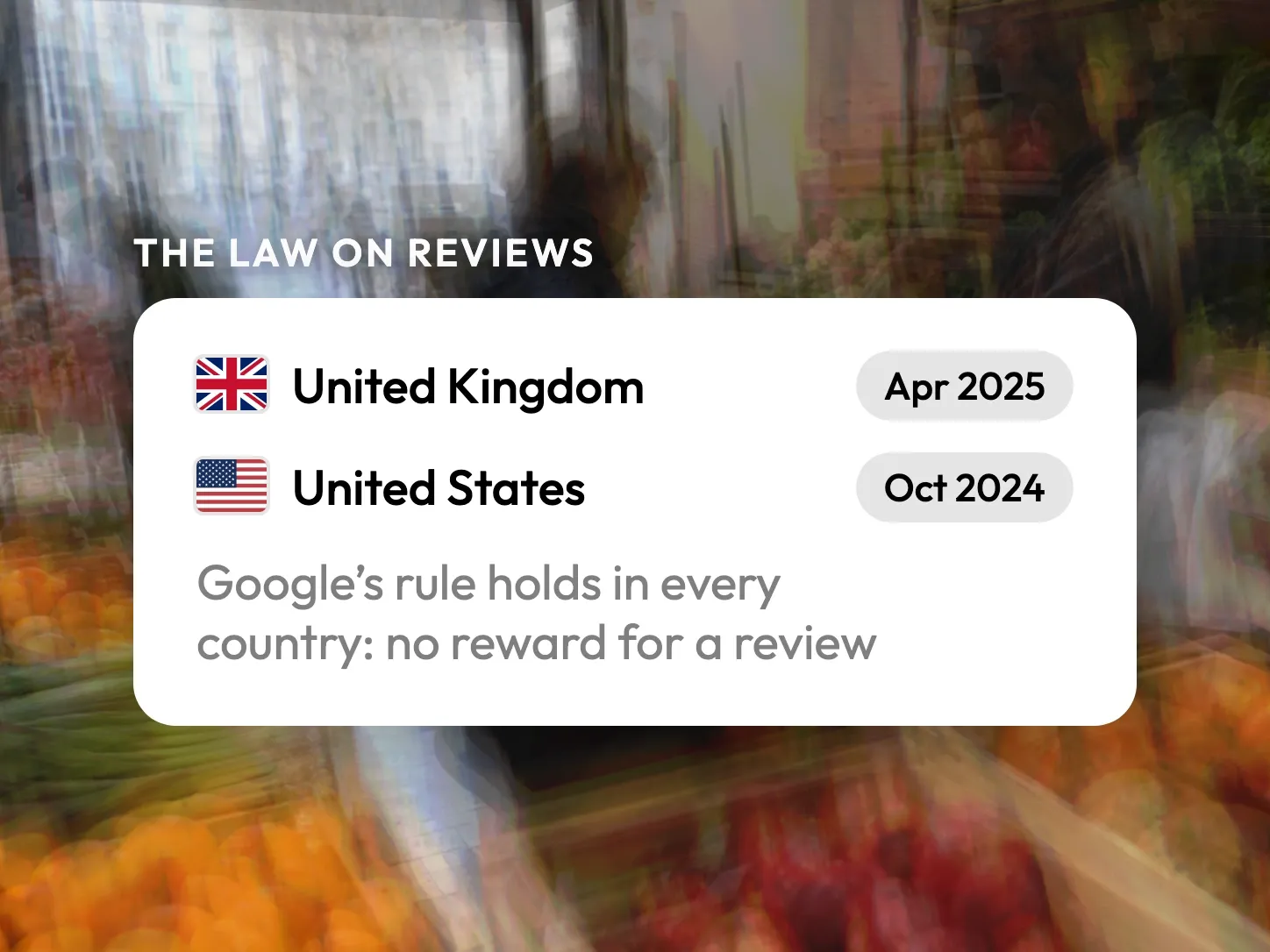
Google’s rules are the same everywhere. The law differs by country: in Spain, and in Italy for restaurants and tourism, it sets a window of thirty days after the visit.
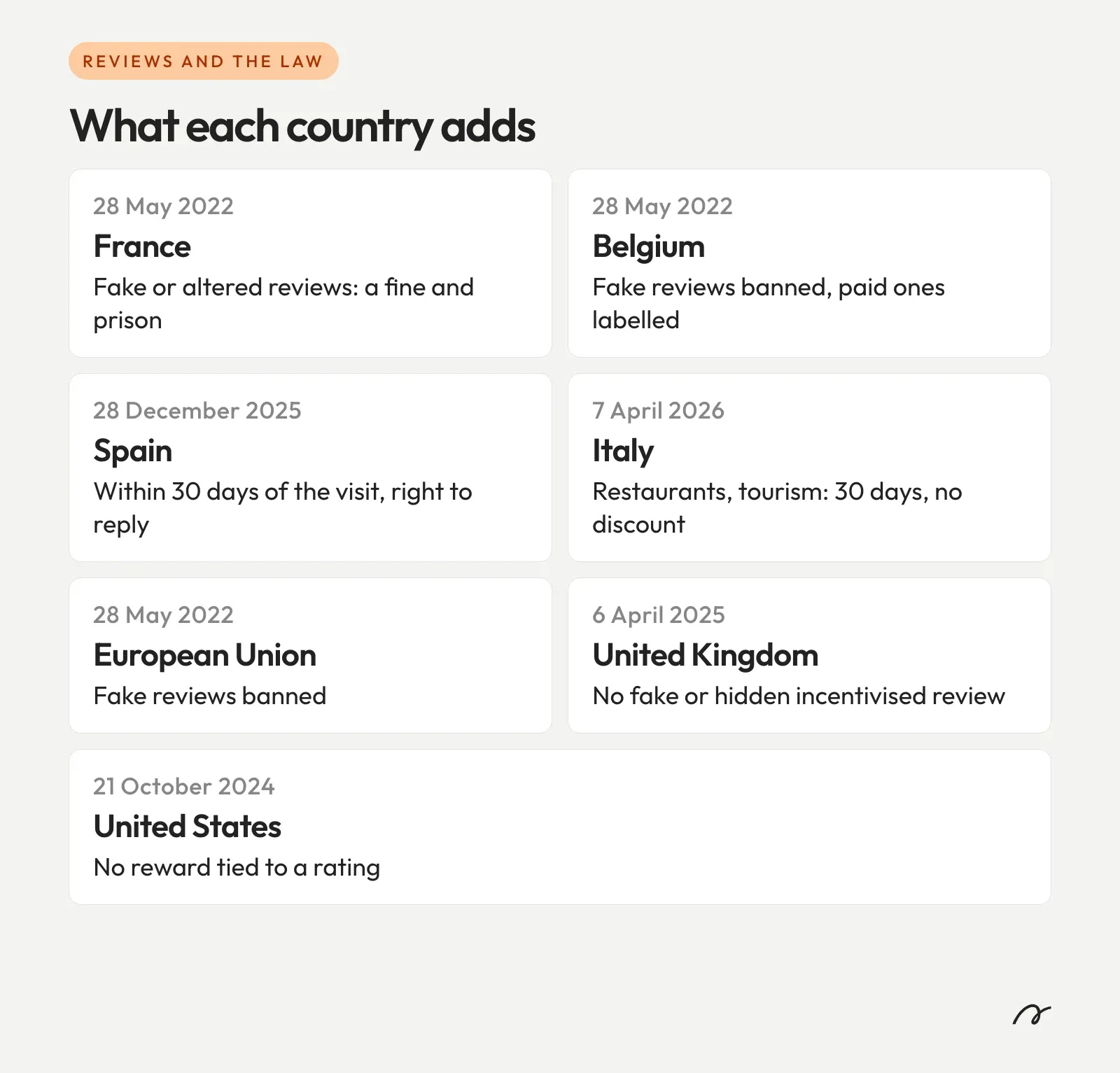
In Belgium, the economy ministry’s guidelines are for reviews a business shows on its own site: label the paid ones, and say so if you do not publish them all. In the United Kingdom a reward is lawful if it is disclosed, and in the United States only a reward tied to a rating is banned. Google bans every reward, and it is Google that publishes your reviews, so offer none anywhere.
We are not lawyers, and this is not legal advice.
Then answer every review
Google tells the reviewer when you reply, and they can still change their review after reading it. Keep offers out of the reply, since, in Google’s words, “your reviewers are already customers”. For the words to use with an unhappy customer, see how to respond to negative reviews.
Answering is the part a tool can take off your hands. On Stride, your Google and TheFork reviews arrive in one inbox, sorted by what needs an answer first, and you reply from there without opening Google each time: see how review management works.
Copy your review link today and put it on the next receipt you print.
Frequently Asked Questions
Can I offer a discount or a free coffee for a Google review?
No. Google's help page says that offering incentives, like free or discounted goods or services, in exchange for posting, changing or removing a review is strictly prohibited. For restaurants and tourism businesses, Italy's 2026 law also makes a review unlawful when it follows a discount or benefit from the business.
Can my staff or my family review my business?
Not under Google's policy. It treats a review based on a conflict of interest as rating manipulation, and names current or former employment and family relationships among the conflicts. Such reviews are removed.
Can I ask only my happy customers for a review?
No. Google's policy forbids businesses to discourage negative reviews or to selectively solicit positive reviews from customers. Ask everyone the same way, whatever you think they will write.
Do customers need a Gmail address to leave a review?
They need a Google Account, which Google says can be set up with an email address that is not Gmail. They must be signed in to leave the review.
Can I make the QR code for reviews on my phone?
Not in October 2026. Google's help page says review QR codes can only be generated in a browser on a computer, not on mobile devices.